Luca Logo

AI Copilot foryour Meetings.

Luca is your AI copilot for online meetings. It listens to everything happening in the meeting, can see your screen, and answers questions about both the meeting and what's on your screen in real time. It also gives live recaps if you miss anything. After the meeting ends, Luca automatically creates clear notes, a full summary, and saves the transcript for you.
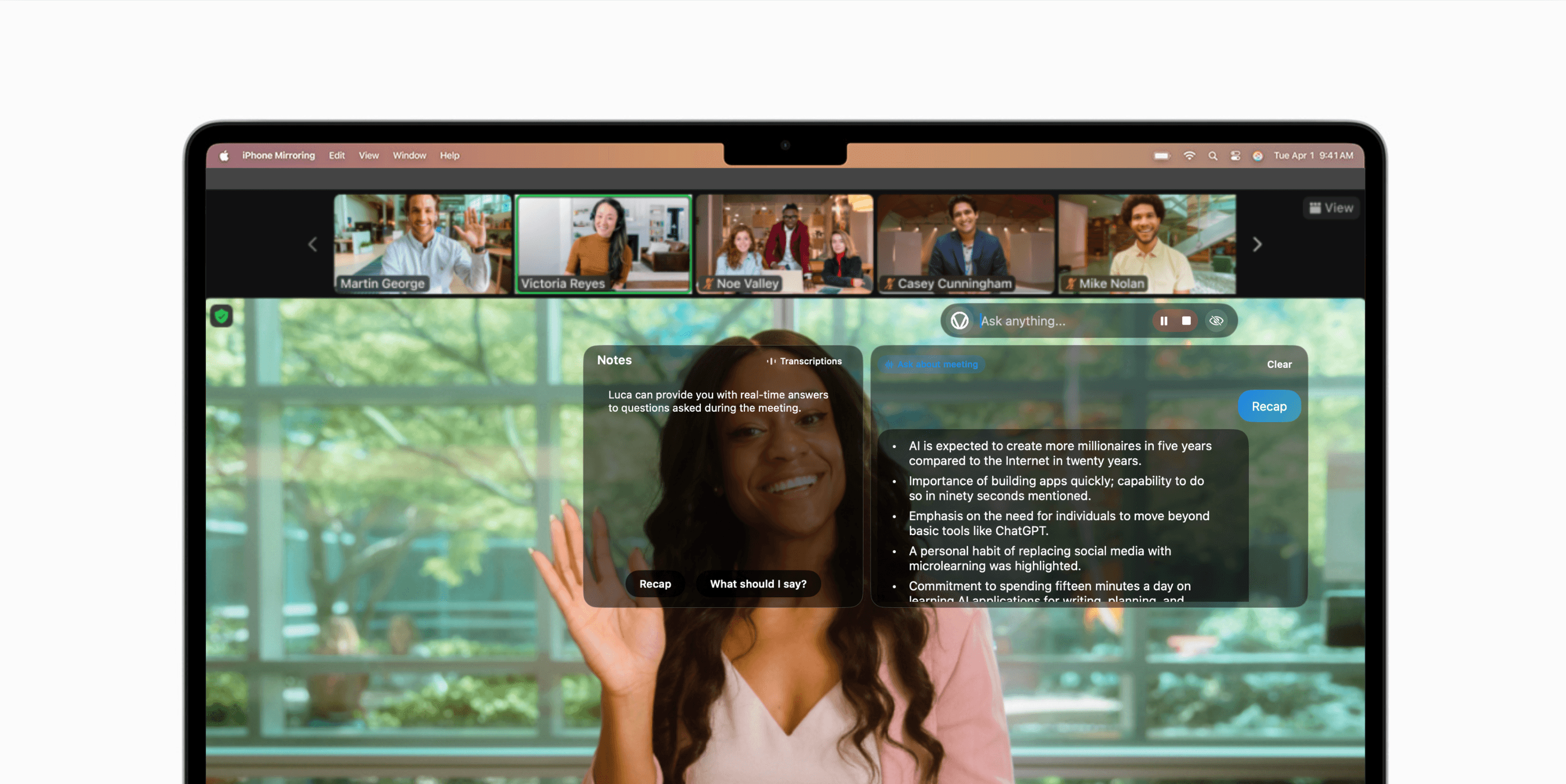
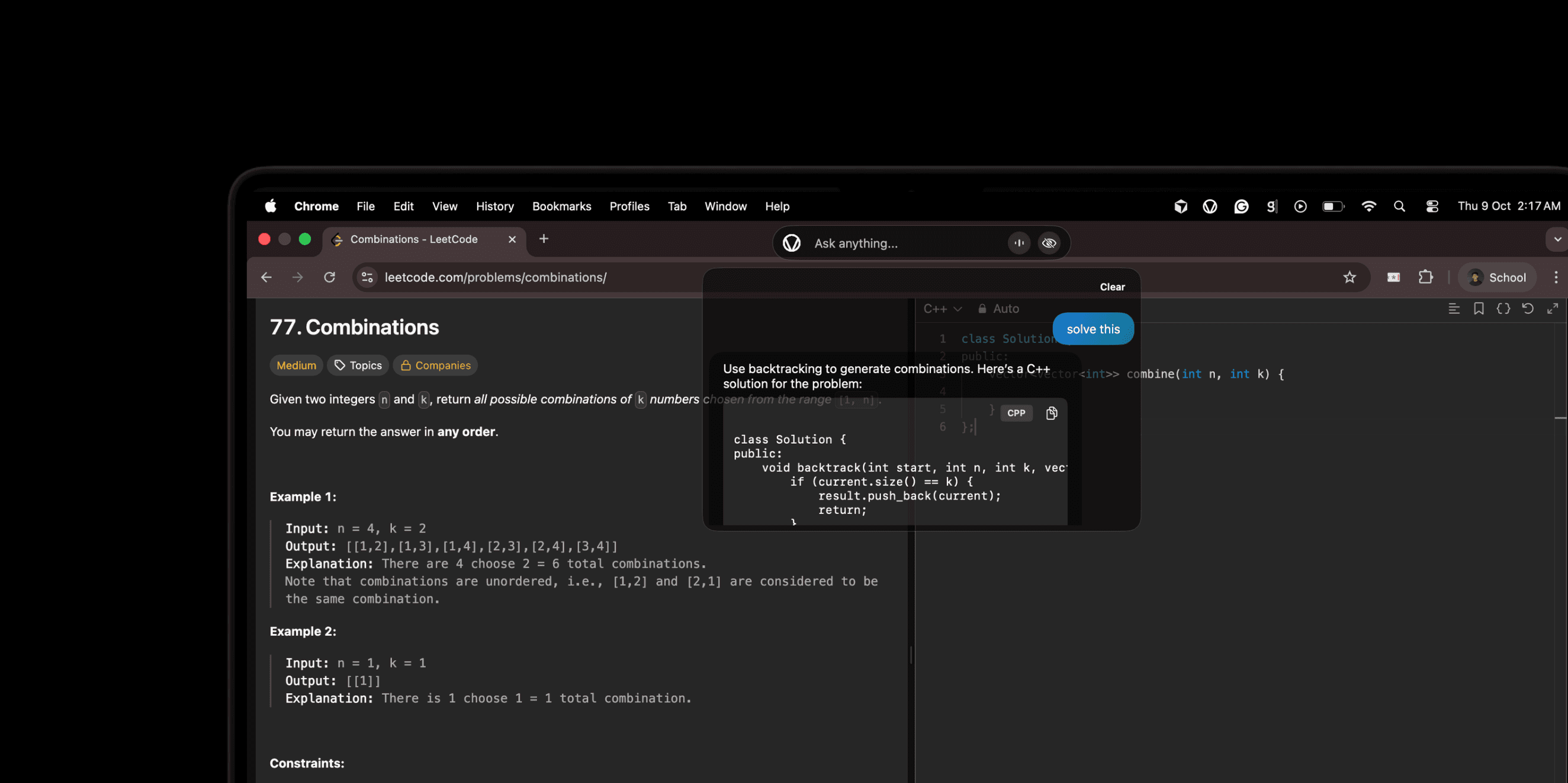
Question: “Why would I use Luca?”

AI Meeting Notes

Generates comprehensive notes, and transcripts based on the conversation.

Luca's overlay UI upgrades

Key Decisions
  • Redesign overlay for easier in-meeting access
  • Add real-time AI suggestions directly on screen
  • Ensure lightweight performance for minimal lag
Action Items
  • Dev team to prototype new overlay components
  • QA to test responsiveness across devices
  • Product team to gather initial beta user feedback
  • QA to test overlay on multiple screen sizes

Real-time Responses

Get instant answers during your meetings with the real-time AI assistance.

What did Shreyas say about the UI feedback?

Shreyas mentioned we should focus on overlay design approach and finalize by Friday.

What about the user feedback system?

The team decided to implement the user feedback system as part of the beta version launch by end of month.

Who's coordinating the testing sessions?

Tejas is coordinating the user testing sessions as discussed in today's meeting.

Get the AI guiding you live,during every call.

Try Luca on your next meeting today.

Frequently asked questions

Luca is your AI copilot for online meetings that excels at listening to your calls, answering questions being asked in real time, providing live recaps if you miss anything, and creating clear notes and summaries once meetings end. It can also see your screen and answer questions about both the meeting content and what's displayed on your screen. Whether you're in a business call, interview, or any online meeting, Luca adapts to your current context and provides intelligent assistance throughout the conversation.

No, Luca does not continuously record or permanently store your screen. The app only takes screenshots when you explicitly ask it to during meetings, such as when you ask what's on my screen? or what's this error? These screenshots are temporarily sent to AI for analysis and then discarded - they are not saved to your computer's storage. Luca uses macOS Screen Recording permission, but this is only for taking on-demand screenshots to help answer your meeting questions, not for continuous recording. The app respects your privacy by only capturing what you request and never monitors your screen without your explicit action.

No, Luca remains completely invisible during screen sharing, video calls, and screenshots by default. Our 'Invisible Mode' ensures your AI assistant stays private during presentations, meetings, or when sharing your screen. You can toggle visibility in settings if you want to demonstrate Luca's capabilities to others.

Yes, you can turn off Luca at any time. The app runs as a regular macOS application that you can quit normally through the menu bar or by pressing Command+Q. When you're not actively using it, Luca sits quietly in the background and doesn't consume resources or perform any actions.

Currently, Luca is only available for macOS. The app requires macOS 12.0 or later to run properly, and it's designed specifically for Mac computers with Intel or Apple Silicon processors. There are no versions available for Windows, Linux, iOS, or Android at this time. The app leverages macOS-specific features like ScreenCaptureKit for screenshots, Apple's Speech framework for audio transcription, and native SwiftUI for the user interface, which makes it tightly integrated with the Mac ecosystem and not easily portable to other platforms.

We're offering free early access to help shape Luca's development with real user feedback. The full version will include a generous free tier with core features, plus a Pro tier with advanced capabilities like custom workflows, team collaboration features, and priority support. Early access users will receive special pricing and feature previews.

Yes, Luca is designed to work across your entire digital workspace - not just coding IDEs. Whether you're using design tools like Figma, productivity apps like Notion, creative software like Adobe Creative Suite, browser-based applications, or any native macOS app, Luca understands context and provides relevant assistance. It's truly universal AI for your desktop.